Read more at projects.onthejourney.online/projects/oktatoentra-web.
TL;DR: OktaToEntra started as a PowerShell module. It’s grown into a self-hosted web app - a FastAPI backend, a Next.js frontend, and a migration planner that tracks every app, owner, and readiness signal in one place. It’s deployable today and going through QA; the source stays private for now, with open-sourcing planned.
Why a web app
The PowerShell module was built to answer one question: which apps do we have in Okta, who owns them, and what order do we migrate them in? It’s good at that - discovery, usage analytics, lifecycle tracking - but it’s a console tool. Handing it to a project manager, a business owner, or anyone who isn’t comfortable in a terminal was never really on the table.
The web app covers the same ground with a browser UI instead: connect Okta and Entra once, then plan, assign, and track the migration as a team. Development on the PowerShell module has stopped in favor of this; the module stays public and functional for anyone who wants the scriptable version.
It’s self-hosted by design - Okta and Entra credentials never leave the environment that owns them.
The dashboard
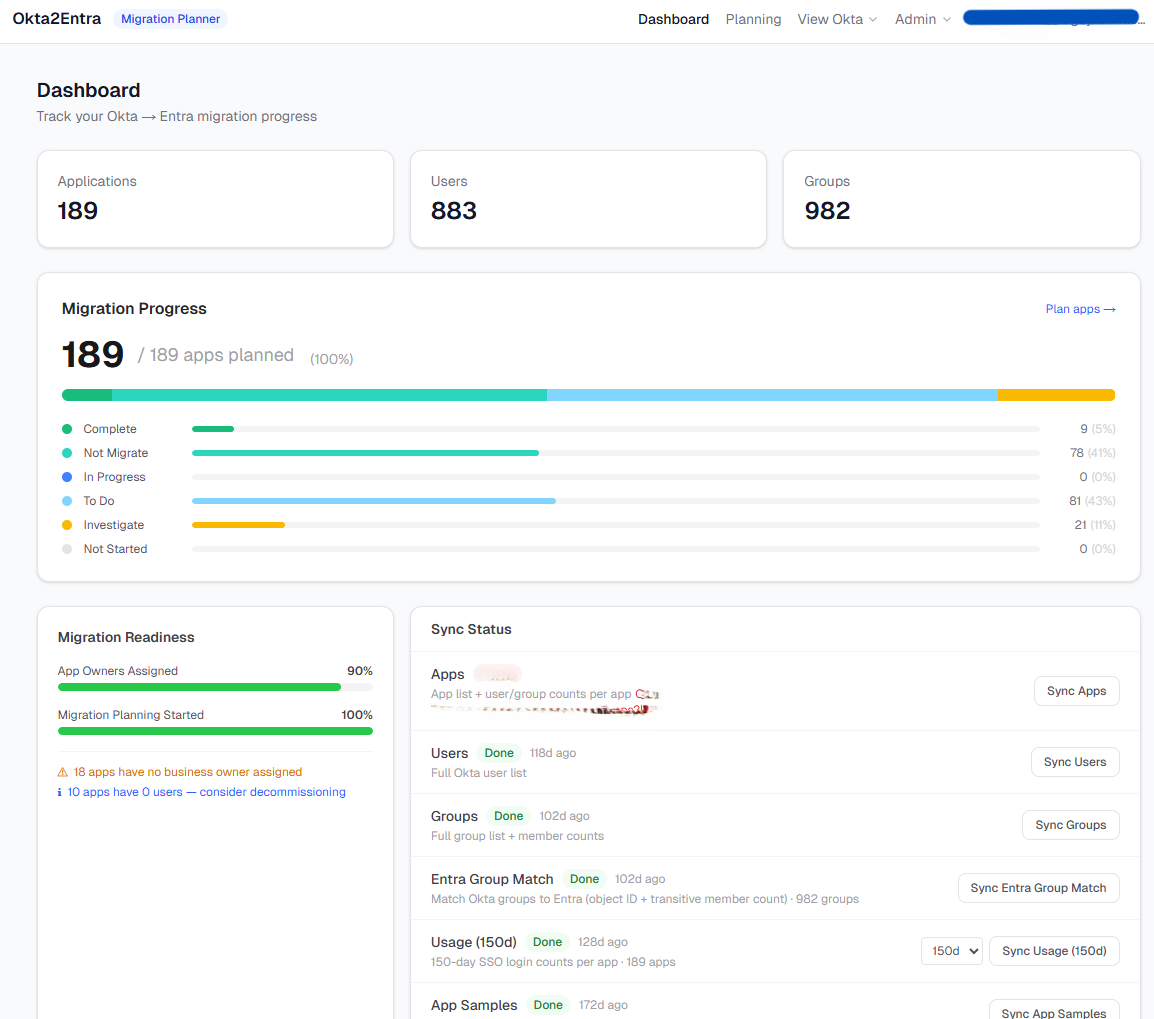
The dashboard is the “where do things stand” view: app, user, and group counts pulled straight from Okta; a migration progress bar broken out by status (Complete, Not Migrate, To Do, Investigate); and a Sync Status panel showing when each data source last ran.
The Migration Readiness score below it is deliberately simple - two dimensions, evenly weighted:
- App Owners Assigned - the percentage of apps with a business owner on record
- Migration Planning Started - the percentage of apps that have moved off “not started”
No vanity metric here - it’s just those two numbers, averaged. The flags underneath it are the more useful part: apps with no owner, apps with zero users worth decommissioning instead of migrating. That second one has probably saved more work than the score itself.
Planning, per app
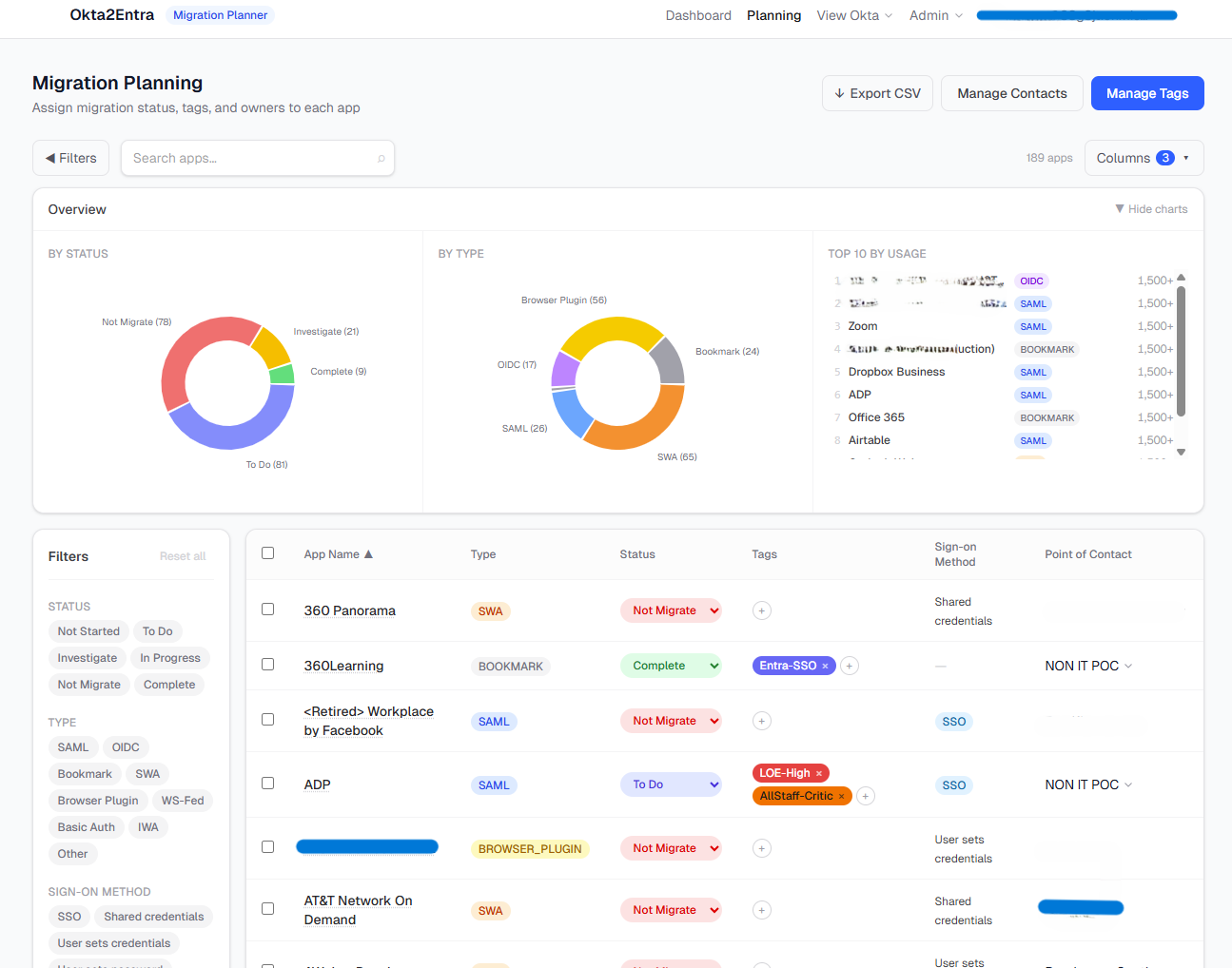
This is where the actual planning happens - one row per app, with status, tags, sign-on method, and point of contact all editable inline. The three charts up top (by status, by protocol type, top 10 by usage) are there so a stalled migration is visible at a glance rather than buried in a spreadsheet column.
Filters run on status, protocol type (SAML, OIDC, SWA, Bookmark, Browser Plugin, and a few more), and sign-on method, so a PM can slice “everything still Not Migrate that uses shared credentials” in two clicks instead of an export.
Per-app detail
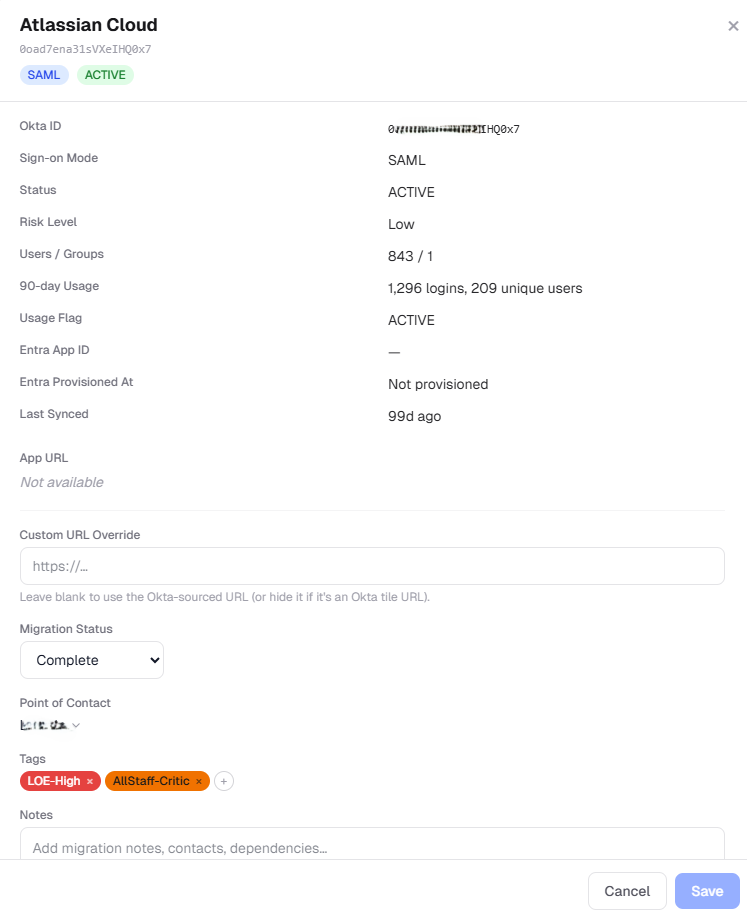
Clicking into an app opens the full record: 90-day usage (logins and unique users, so “is anyone still using this” isn’t a guess), risk level, Entra provisioning state once it’s been created, and a notes field for anything that doesn’t fit a dropdown. Migration status, point of contact, and tags all live here too - the same fields as the planning table, just focused on one app at a time.
Tags
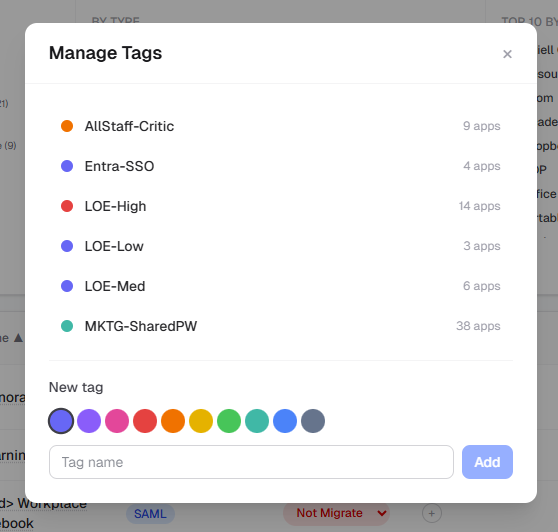
Tags are free-form and colour-coded, with a live count of how many apps carry each one. Useful for anything that cuts across the status/protocol axes already in the table - effort level, criticality, which team owns the credential, whatever the migration actually needs tracked that the schema doesn’t have a column for.
Connecting Okta and Entra
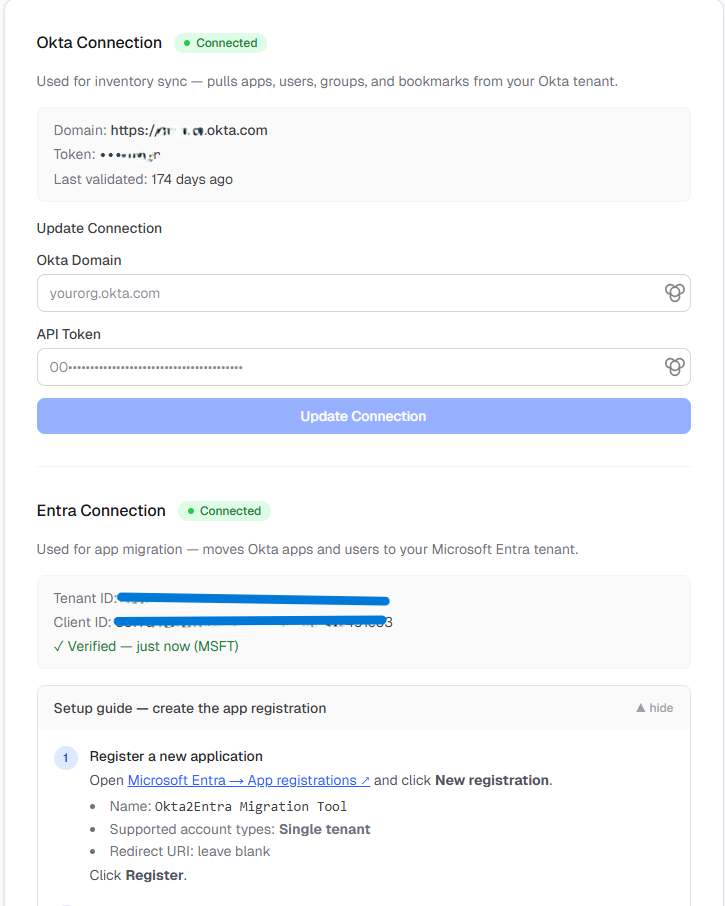
Two connections, set up once: an Okta API token (read-only - the app never writes back to Okta) for inventory sync, and an Entra app registration for provisioning. Both credentials are encrypted at rest rather than stored in plaintext, and the setup guide is inline rather than in a separate doc, since this is the step most likely to trip up a first-time run.
Under the hood
- Backend: FastAPI (Python), SQLAlchemy ORM, SQLite in WAL mode so sync jobs can write while the UI keeps reading. Schema changes go through Alembic migrations - twenty of them so far, which is its own honest record of how much the data model has grown since the first cut.
- Frontend: Next.js (App Router) with Tailwind and shadcn/ui.
- Credentials: AES-256 via Fernet, keyed off a server-side secret. Okta tokens and the Entra client secret are never written to disk or logged in plaintext.
- Sync: background jobs run inside the FastAPI process itself - no Redis or Celery queue for this version. Simpler to self-host, at the cost of not horizontally scaling sync, which is a fine trade for a tool one team runs against one tenant.
- Tests: a pytest suite (auth, inventory, sync, settings, push) and CI workflows for tests and container publishing - GitHub Actions runs it on every push, same as any project I’d call more than a script.
The whole thing ships as a Docker Compose stack - one container for the API, one for the frontend, a bind-mounted SQLite file for data that survives a redeploy.
Where it stands
The app is at a deployable state and is currently going through further testing and QA before I’d call it done. The source is private for now; the plan is to open it up so other admins can run their own instance the same way. If that’s useful to you before it’s public, the OktaToEntra PowerShell module is the place to start today.